Kanban projects & tasks
Manage projects with a clear kanban board. Assign tasks, track progress and set priorities — all in one place.
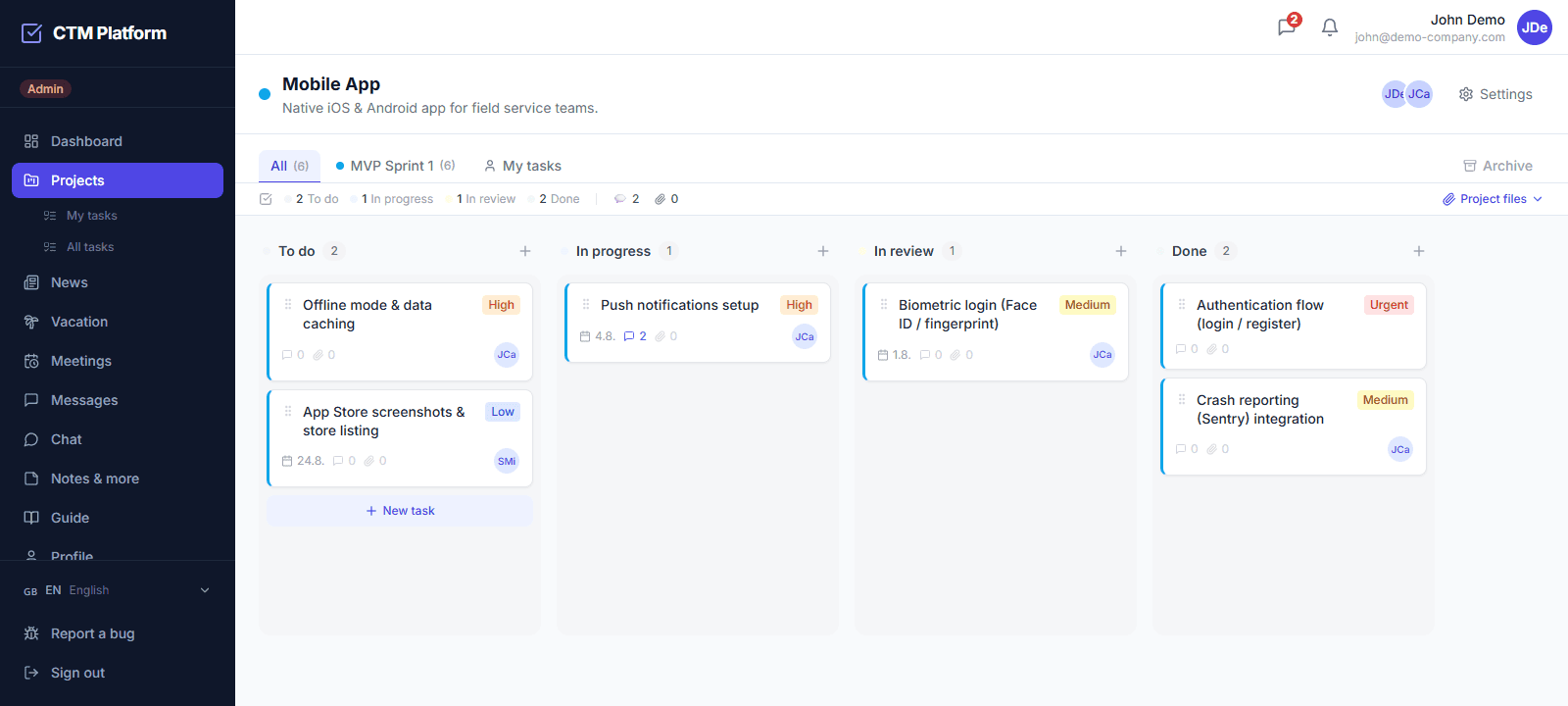
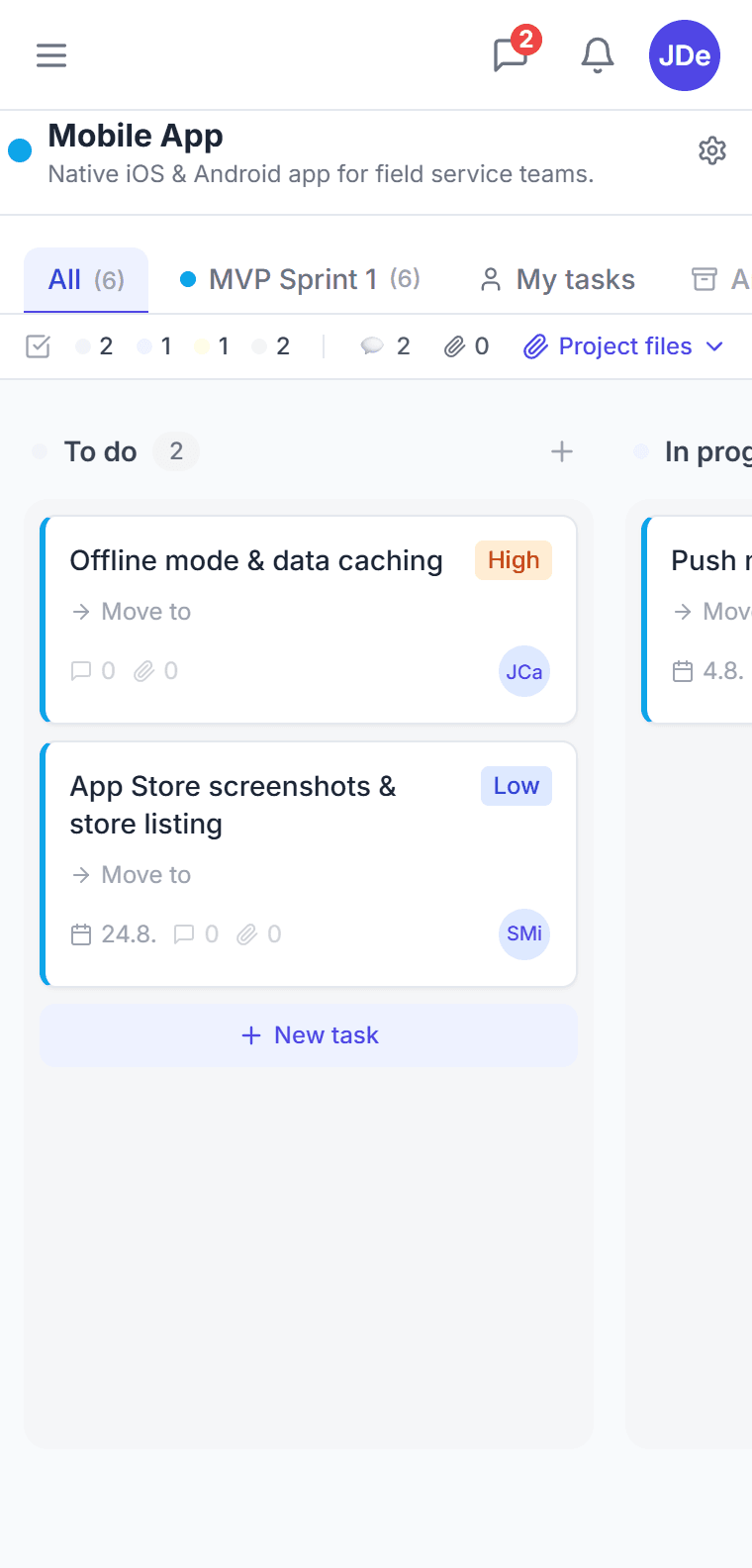
Visual project overview
Drag & drop tasks between columns (To Do, In Progress, In Review, Done). Custom columns, colors and priority filtering.
Assignments & deadlines
Assign tasks to specific team members, set deadlines and priorities. Automatic notifications before due dates.
Groups & organization
Divide tasks into groups (phases, sprints, departments). Track progress for each group separately.
Attachments & comments
Attach files directly to tasks. Discuss in comments with private message support.
What is the CTM Kanban board and how does it work?
The CTM Kanban board is a visual task management view where work moves across columns from start to completion. You drag and drop task cards between columns such as To Do, In Progress, In Review, and Done. Each card holds a task with its assignees, due date, priority, labels, attachments, and comments. The board gives small teams an at-a-glance overview of who is working on what and what stage every task has reached.
Can I customize Kanban columns and the task workflow?
Yes. Project owners and managers can adapt the board to their workflow and decide how tasks progress. CTM supports an optional approval step: when a project has approval enabled, tasks move into an In Review column and must be approved by a project owner, manager, or admin before they can be marked Done. This keeps quality control in place without leaving the board.
Does the CTM Kanban board support approval before completion?
Yes. CTM includes a built-in approval workflow on the Kanban board. When approval is required, a team member moves a task to In Review, which notifies the approvers (project owner and manager or admin members). The task cannot be completed until it is approved, so nothing is marked Done without a review. System administrators can move tasks freely.
Is the Kanban board available on the free plan?
Yes. The Kanban board is part of CTM's core task management and is available from the Free plan, which includes one project and up to three users at 0 EUR per month. Paid plans add more projects, more users, and features such as meetings, vacation approvals, and Google Calendar sync.
Does CTM support recurring tasks?
Yes. Any task can repeat daily, weekly, monthly, or yearly with a custom interval and an optional end date. CTM automatically creates a fresh copy of the task on schedule — including assignees, labels, and checklist goals — and notifies the assignees. Recurring tasks are marked with a repeat badge on the board and are available on every plan, including Free. In Asana, Monday.com, and ClickUp similar automation is limited to paid tiers or requires extra setup.
How do I find a task when I don't remember which project it is in?
Use the global search: one box covers tasks, projects, meetings and people, and it ignores diacritics, so Slovak and Czech text matches whether or not accents are typed. Results respect permissions — search never surfaces something you could not otherwise open. For daily work the dashboard opens on a personal “What's on today” view: today's tasks with one-click completion and undo, today's meetings with RSVP, action items from meetings, and who on the team is away.